Changelog

Follow new updates and improvements to iopho.

January 15th, 2026

Reedle

Reading can be more than passive consumption. With AI Learning Mode, Reedle supports active thinking directly inside the reading flow. You can ask questions in context, explore meaning as you read, and turn articles into an ongoing learning process without breaking focus.

Below is a set of tools designed to support this way of reading and learning:


AI Chat Panel

Toggle AI Learn mode, you can invoke AI assistant while reading, transforming passive reading into active learning.

Reedle AI Chat Panel

You can select text in the article and choose to quote text and text your query in right panel. Reedle AI will reply based on your selection as well as the entire article in real-time conversation.

Also, Reedle supports specified language response in: English, Chinese, Japanese, Russian, French.

AI Feature Toolkit

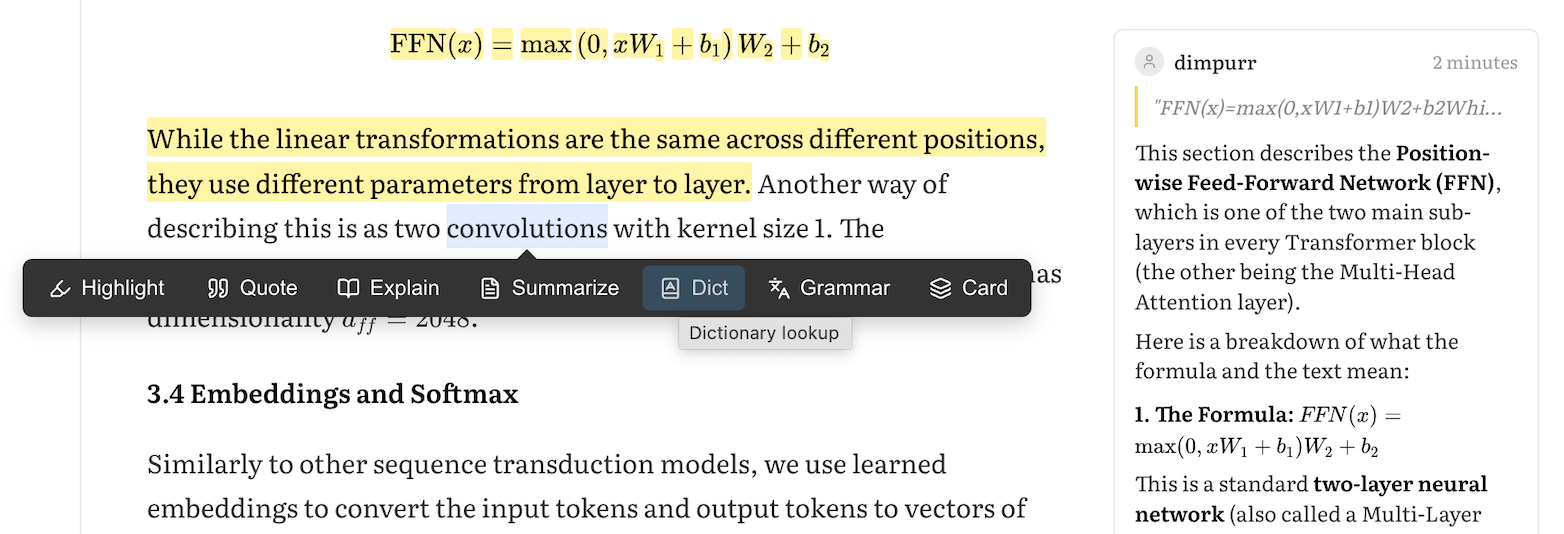
Reedle AI Highlight Popover Menu

When in AI Learn mode, selecting text in articles will popup AI Feature toolkit below.

  • “Highlight”: add highlight of selected text

  • “Quote“: quote selection text to AI Panel

Reedle also has prompts for faster queries:

Semantic Understanding:

  • “Explain“: generate AI explanations for selected text

  • “Summarize“: generate AI Summary for selected text

  • “Card”: make Q&A cards based on the highlights

Language Understanding:

  • “Dict“: query word/phrase definitions with examples.

  • “Grammar“: break down sentence structure.

AI Model Selection

Reedle integrates the hottest mainstream models of OpenAI, Anthropic Claude and Google Gemini, Deepseek listed down below.

  • OpenAI: GPT-5.1, GPT-5,GPT-3.5 Turbo

  • Anthropic Claude: Claude 4.5 Opus, Claude 4.5 Sonnet, Claude 4.5 Haiku

  • Google Gemini: Gemini 3 Pro, Gemini 3 Flash Preview (Default)

  • DeepSeek: DeepSeek R3, DeepSeek V3.


Learning happens best when curiosity meets structure. Whether you’re reading alone or with others, Reedle’s AI and lookup tools are designed to support deeper understanding at your pace, in your language, and within the flow of reading. Add an article and try it now!
January 13th, 2026

Reedle

We’re excited to introduce the very first version of Reedle, a reading tool built for granular reading, progress tracking, and sharing your reading journey, while keeping you motivated every day.

Here are the core features:


Reedle remember your reading progress as Blocks

Once saved, Reedle tracks your progress paragraph by paragraph. You can easily mark individual blocks as read or unread as you go by simply clicking on it. And we will count your read-block in your HeatMap.

When opening up articles, Reedle will auto-scroll to first unread block. And top progress bar will show your real-time reading progress.

Progress Mode Toolkits

Reedle Progress Mode Toolkits

When “Progress“ is toggle, you can access to several functions:

Reading Assistance:

  • Translate: for translating original content.

  • Select: for managing multiple paragraphs in one go.

  • Reset: to start your reading journey over.

Immersion Tools:

  • Auto: automatically marks progress while scrolling for a seamless experience.

  • Guide: a visual guideline designed for readers seeking deep immersion and focus.

“Select“ Tools for Efficient Text Selection:

When you toggle “Select“, you can drag-to-select multi paragraphs for batch operations, to mark read or unread blocks.

Personalized Aesthetic Reading Experience System

You can customize reading theme in 6 selection:

  • 6 Color Themes: White (Default), Dark, Black, Sepia, Green, Yellow

  • System Theme Following: Auto-detect system dark/light mode preference

Font Setting is also supported in the reader view.

Article List View

Reading Statistics & Activity Tracking:

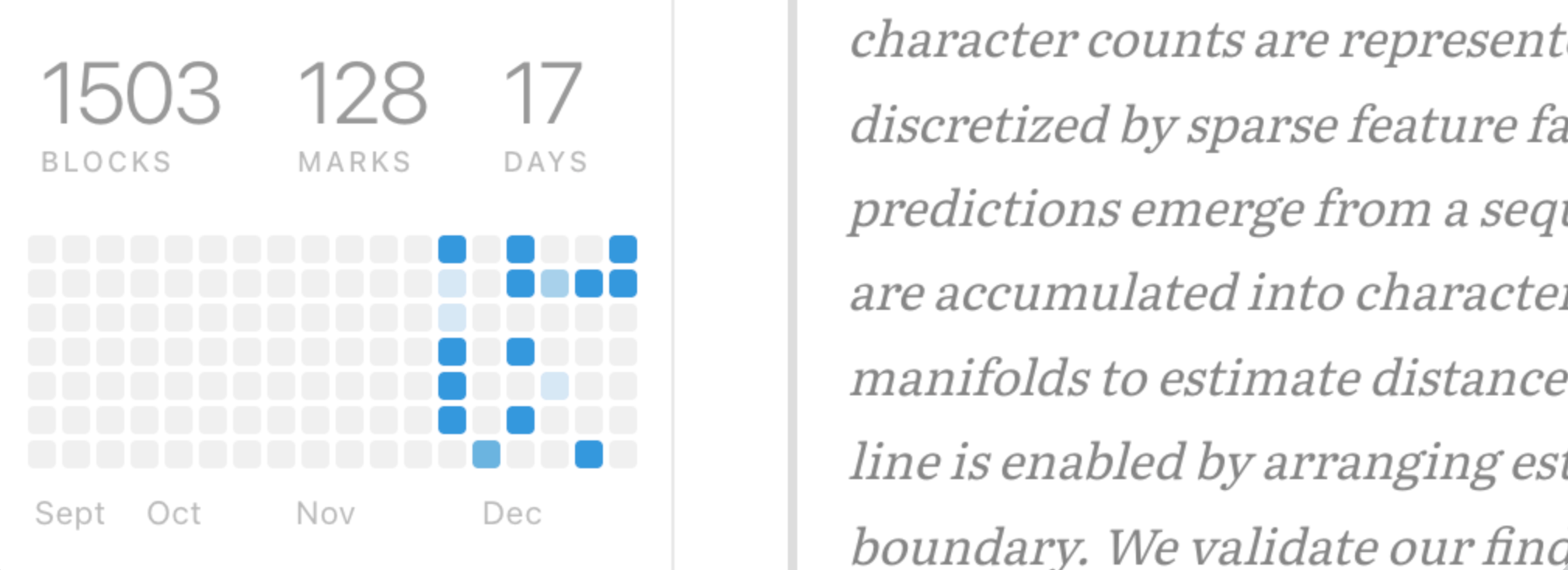
Reedle counts your daily reading blocks and visualize them into a Github-style activity heatmap. In addition to the heatmap and on the top of it, we track and keep your total read blocks, highlights, and every day you've spent with Reedle.

Article Rating System:

Reedle allows rating articles by 5-star rating. You can rate articles in the article list view and filter articles by rating.

Article Organization & Management:

Reedle supports ways to organize article. You can create lists to organize articles together or mark articles as archives.

Filter and sorter:

Reedle List View: Filter

Whether you prefer a minimalist list or a rich card view, Reedle lets you personalize your interface. Streamline your library by toggling filters for archived or shared content, and organize everything by recency or rating for quick access.


Start reading with intention, track every step, and build a habit that lasts. We hope Reedle helps you move from “read it later” to “consume it now”. Try Reedle today!